



Wireless queue management system
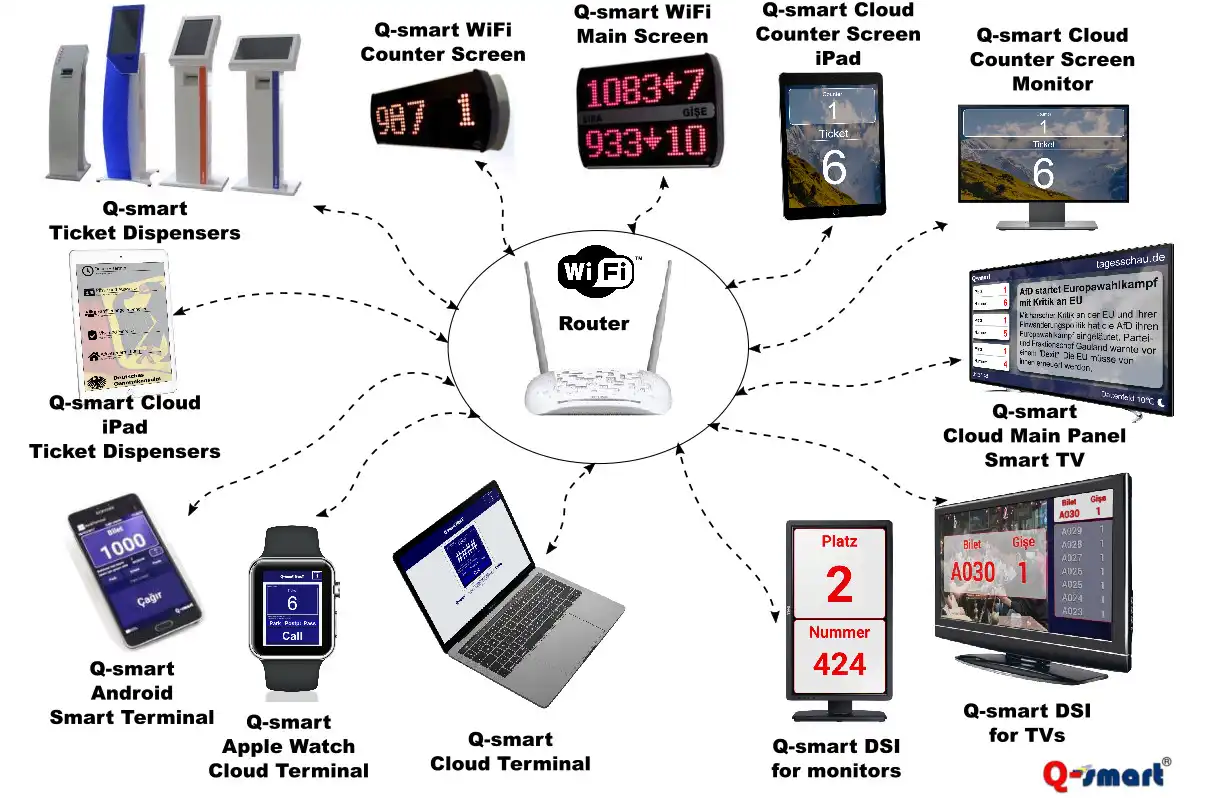
The Q-smart WiFi queue system architecture is designed with IEEE 802.11 b/g, which is offered as an open standard. This means that it works seamlessly with the WiFi modem, router or access point you use at home or work.
The WiFi queue management system consists of wireless ticket call terminals, ticket machines, cash registers, main routing screens, multimedia players and digital signage systems. Regardless of any equipment you know in the queue management system, they all communicate wirelessly within the WiFi network.
With the WiFi queue system, place your ticket machine as you wish in the branch, operate the call terminals on the arms or pockets of your employees, or move your cash register upstairs tomorrow. All this without having to repair it once, and enjoy the freedom of wireless operation.
Q-smart WiFi World
With the WiFi queue management system, you have a queue management system that is ready to use in minutes, with no installation costs, no changes for relocations, just by selecting your WiFi network and entering your password.
The Q-smart WiFi queue management system is designed with the WiFi-certified Open Systems Interconnection (OSI) model. This model defines how devices connected to the network and the applications running on the devices communicate with each other. In other words, a network structure is created consisting of hardware that can work together without affecting the network architecture and protocols, regardless of the hardware or network type.
The architecture of the WiFi queue management system offers you the advantage of interoperability. With a standard communication interface, it offers the freedom to work with the hardware you want, regardless of the manufacturer.
WiFi Led screens
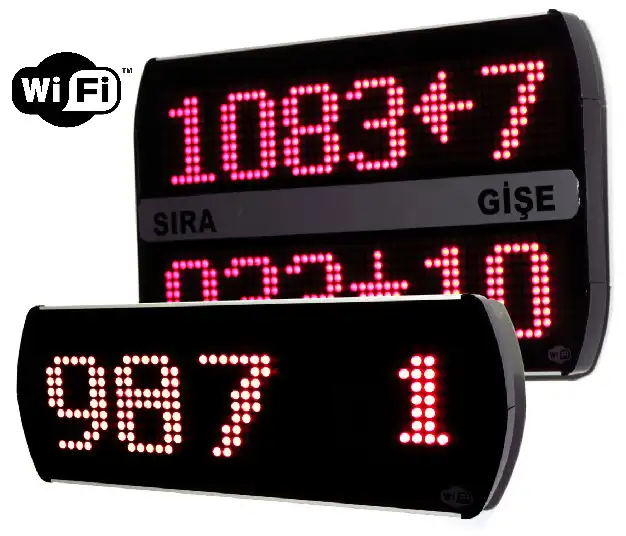
Enjoy the convenience of endless flexibility in your wireless network with Curwe WiFi queue management system displays. Fully compliant with IEEE 802.11 standard WiFi networks, the queue management system displays work seamlessly with wireless modems, routers or access points. The main displays, which can display up to 20 lines of previous calls with only 1 IP address, can work with either an automatic IP address distributed via DHCP or a static IP assignment.
Unlike wireless products that operate on radio frequency, it provides a perfect wireless working experience up to 300m over only 1 port (modem, router or access point) by using international standard WiFi technology.
Like your mobile phone or tablet, it works anywhere in your office, anytime, without the need for wiring or modification.
With its aluminum soft-edge design, flexible design where lines can be added at any time, and Red, White or Blue LED options, it is the next generation of LED queue management system displays for queue management systems.
WiFi call terminals
The queue management system, which is built with WiFi infrastructure, has 3 different options for calling the next ticket and other ticket operations.
Smart Call Terminal: The application that you can download from the Google Play Store is offered for free. It is compatible with any tablet or smartphone with the Android operating system. After downloading the application from the Google Play Store, it is enough to enter the IP address of your queue management system into the application.
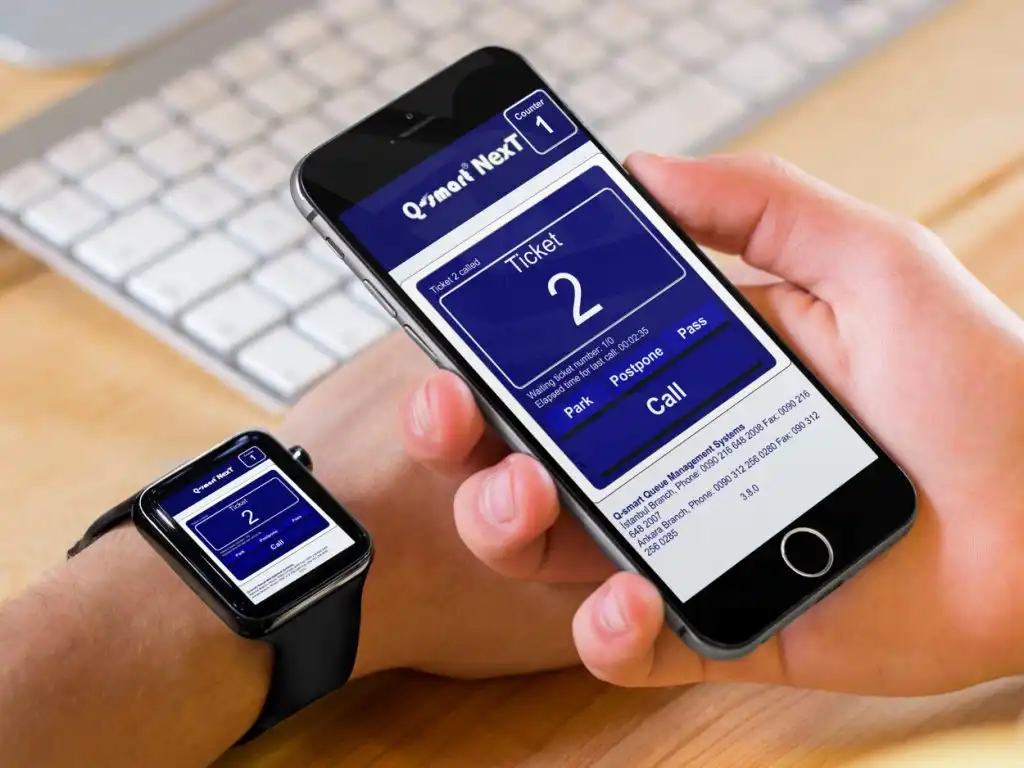
Cloud Call Terminal: The cloud call terminal integrated into the Queue system runs on an internal web server and is compatible with all web browsers. Simply open the web browser of your smartwatch, smartphone, tablet or computer and enter the IP address of your ticket machine as the website address. The system, designed with sensitivity to different devices and screens, automatically adapts to the device connected, from the smartwatch to the laptop.
Virtual Terminal: The platform-independent, Java-based application is a call terminal application that does not require installation for all laptops or desktops using Linux, MacO or Windows operating systems. Compatible with Java 1.6 and higher, the program runs with a double-click without the need for installation.


Cloud Screens
Cloud displays integrated into the queue management system can be used in two different application formats, such as cash register screen and main screen. Cloud displays are web-based software running on an internal web server.
Simply open the web browser of your Smart TV, tablet or computer and enter your cloud display URL. The system, which is sensitively designed for different devices and screens, automatically adapts to the web browser to be viewed.
Cloud cash register screen: You can customize the cash register screen as you wish. Staff ID information, position, cash register number text and size, ticket number text and size, fonts, colors, sizes and formats can be changed. The background image can be selected as a color, image or video.
Cloud home screen: You can customize the ticket and cash register/room number texts of your home screen, the number of previously called ticket lines, RSS news content, weather information, top and bottom section information messages, colors, fonts, sizes, formats, logos, Images as you wish. In addition to ticket numbers, live weather, location information and RSS news services are also displayed on the home screen. You can provide live RSS news from the channel you want, customize news sources, weather information
MyTV Digital Signage System
Main Screen: With the Q-smart DSI (MyTV) system, you can turn your LCD TVs into main route screens. Screens connected to the queue management system via a wireless network become corporate TVs that broadcast advertising, TV, display information and announcements, and broadcast videos and photos instead of LED screens.
Cashier Screen: With the Q-smart DSI (MyTV) system, you can turn your operator screens used in the queue management system into an interactive communication channel with LCD Monitors or LCD TVs of any size. With LCD Operator screens, you can customize your screen appearance according to your corporate image, publish information messages, photos, announcements, as well as call and meter numbers.
The MyTV system, which can work horizontally or vertically, optimizes the screen appearance by adapting it to the working position of the screen.
In addition to the content you will broadcast on the screens, you can also broadcast live content such as agenda news, weather forecasts, currency rates, and central clock.
